Printman Icon
Printman

Give Your Old USB Printer Wi-Fi Superpowers

Print directly from iPhone, iPad, and Android to any USB printer over local Wi-Fi. Printman turns your Windows PC into a blazing-fast local LAN print server.

PS >printman.exe serve --no-auth

Zero install required • Launch right from Windows Terminal or PowerShell

Built for Phones, Desktops, and Terminals

Modern interfaces designed for zero-friction local LAN printing. Click any card to explore full size.

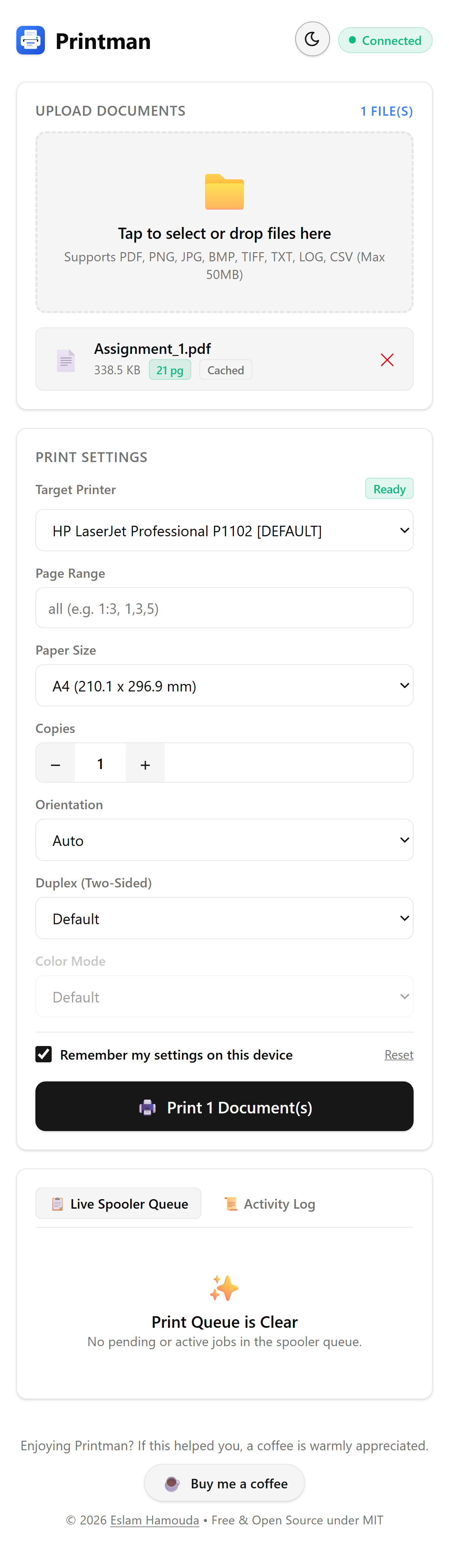
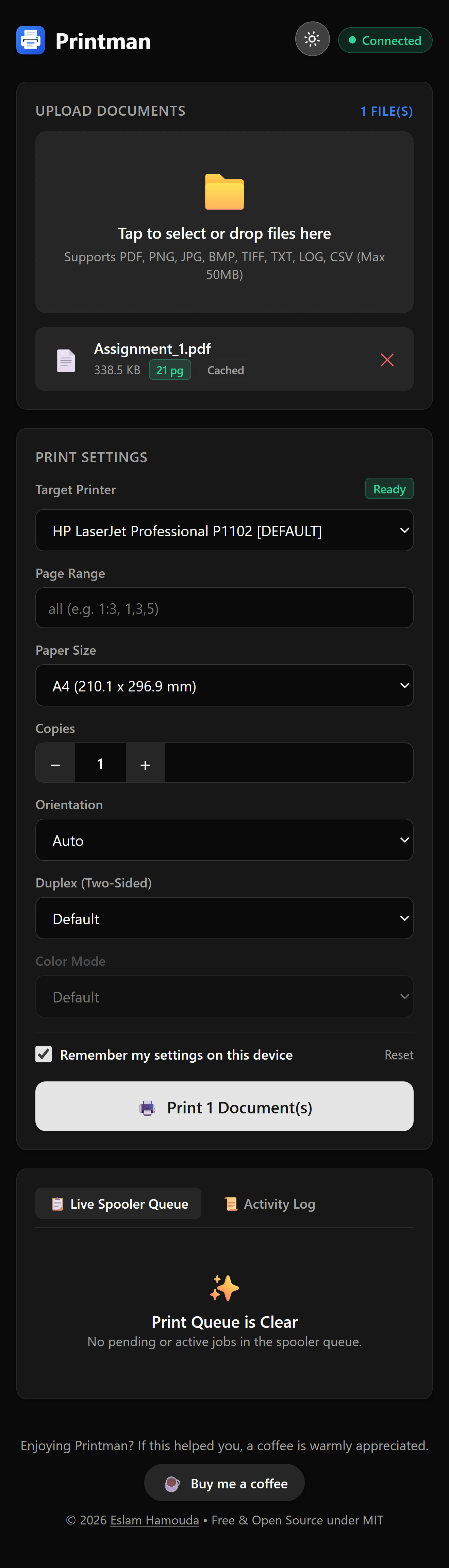
Printman Mobile Web (Light Theme)Printman Mobile Web (Dark Theme)
View Full Size
📱

Mobile Web App

Zero-install web UI for iOS and Android. Upload documents, choose paper trays, and print from anywhere on local Wi-Fi.

Expand Slider ↗1 of 3
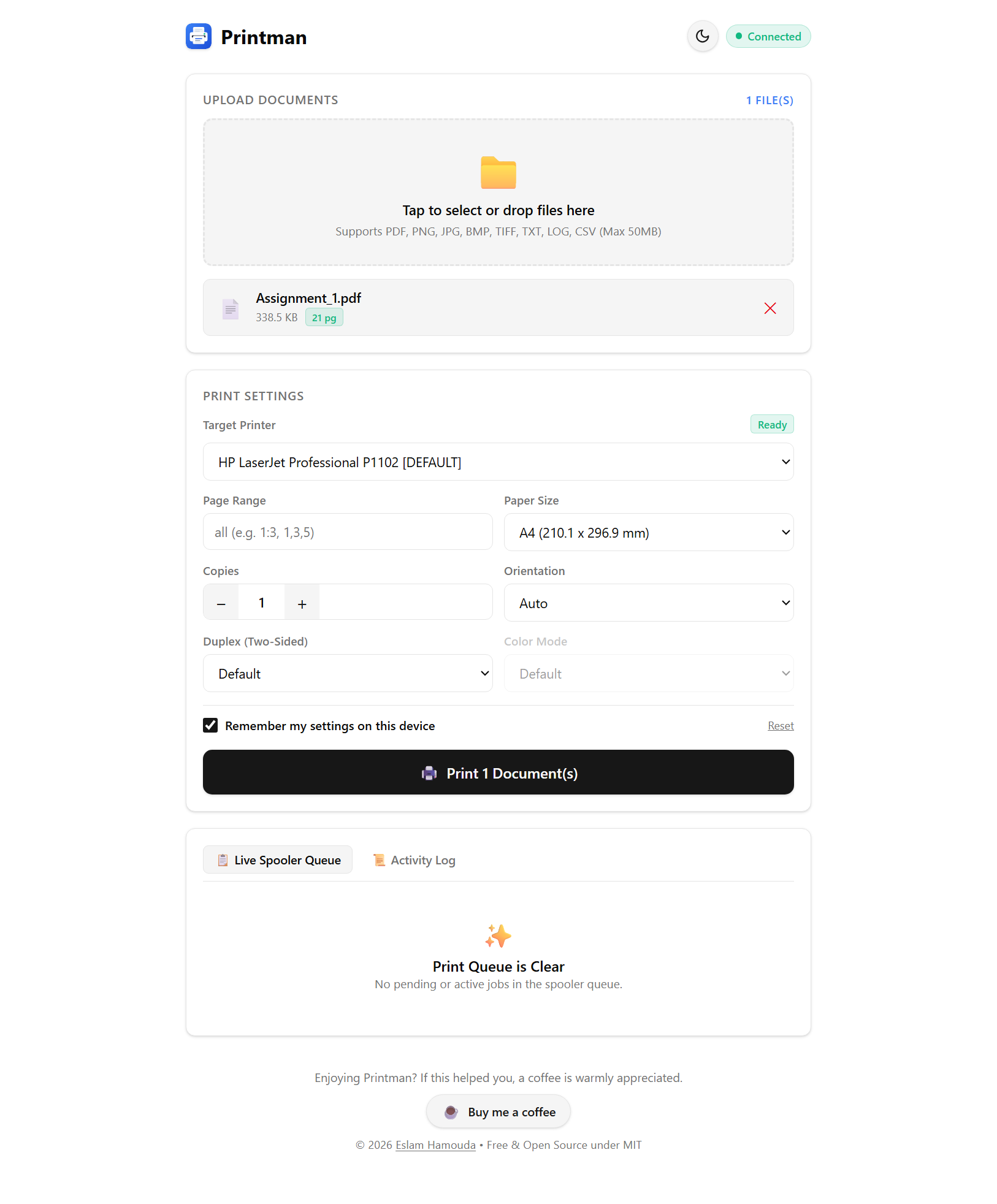
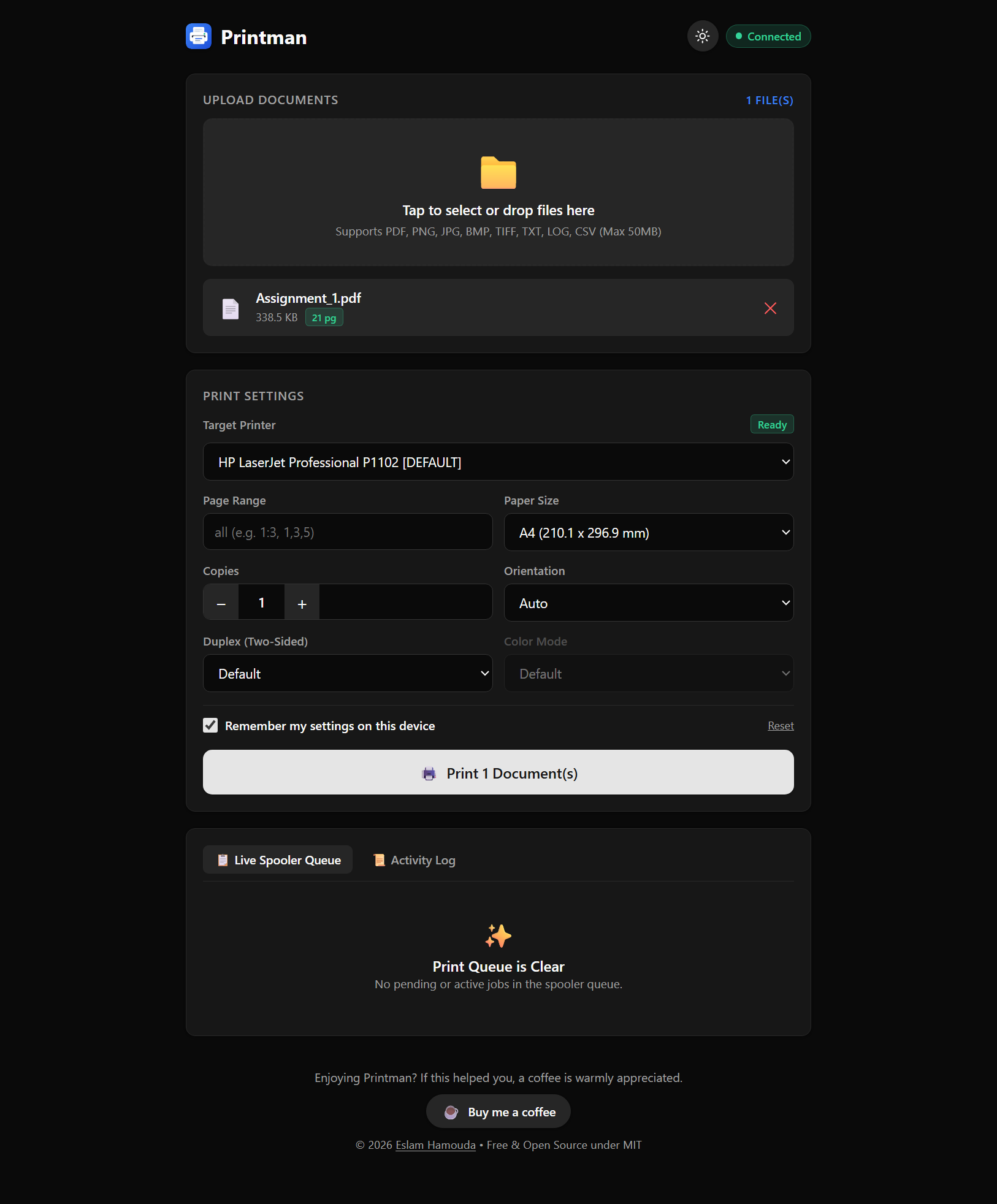
Printman Desktop Web (Light Theme)Printman Desktop Web (Dark Theme)
View Full Size
💻

Desktop Dashboard

Full desktop browser experience with multi-file drag-and-drop, real-time spooler diagnostics, and emergency queue purge.

Expand Slider ↗2 of 3
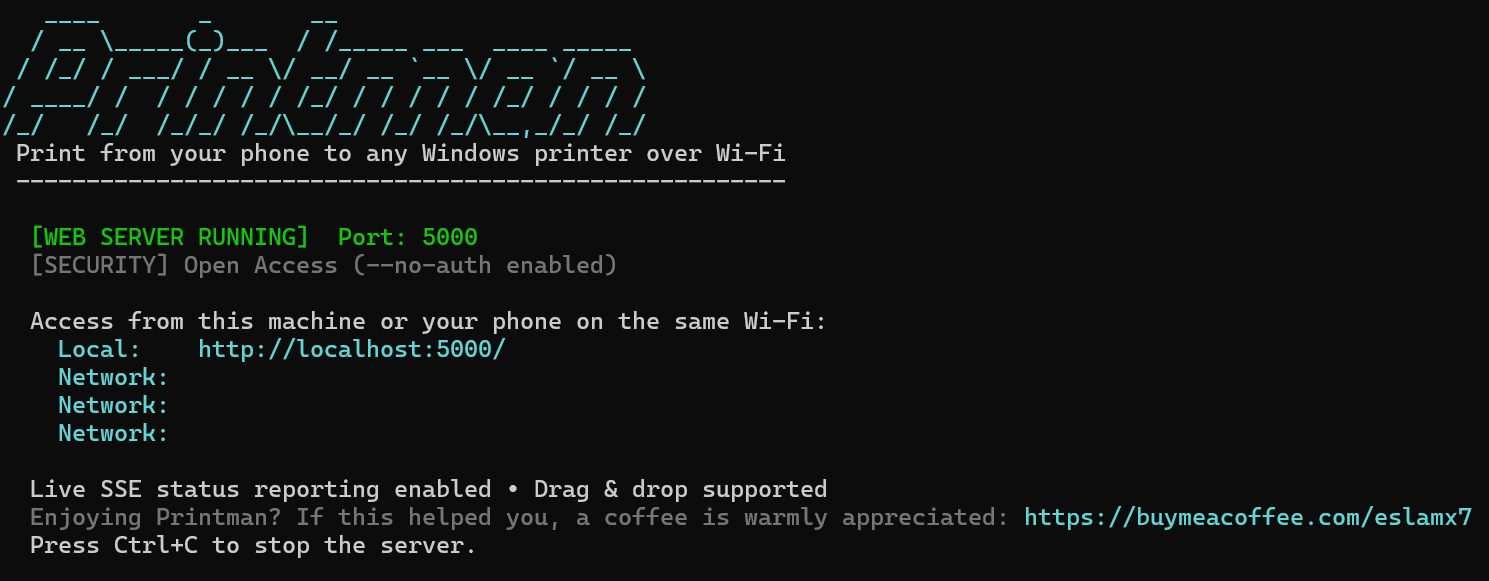
Printman Windows CLI Terminal
View Full Size
⚡

Windows CLI Terminal

Colorized console with LAN IP auto-detection, auto-generated secure PINs, and native winspool.drv diagnostics.

Expand Slider ↗3 of 3

Why Printman Exists

A small tool built out of daily frustration with family homework and resilient hardware.

“
“Do not replace reliable hardware. Modernize the access layer.”
01

The 12-Year Tank

In 2014, I bought an HP LaserJet Professional P1102. For over 12 years across multiple family homes, it never failed. One single toner cartridge lasted three years of continuous use. Durable, economical, and unkillable.

02

The Daily Homework Friction

School assignments and worksheets arrive on iPhones and iPads. But our printer had only a USB cable to a desktop PC. Moving files from mobile to desktop every evening was a tedious, repetitive chore.

03

The Zero-Bloat Solution

Instead of buying a fragile \$200 Wi-Fi printer tied to cloud accounts and ink subscriptions, Printman converts the host PC into a high-speed local print server. Now my family prints instantly from their phones.

Everything You Need. Zero Cloud Bloat.

Modern conveniences for legacy hardware without sacrificing privacy, performance, or security.

Zero Third-Party Packages

Crafted with 0 external NuGet dependencies. All PDF rasterization, printer communications, and spooling utilize native Windows SDK WinRT and standard .NET APIs.

Mobile-First Web App

Launch with printman serve. Family members can open the URL in Safari or Chrome on iOS and Android to select files and print effortlessly.

Hardware & Spooler Diagnostics

Queries native winspool.drv to report real-time status: Paper Jam, Out of Paper, Offline, Door Open, Paused, and active queue length.

Duplicate Safeguard & Purge

Stops kids from accidentally printing the same worksheet multiple times. If a printer jams, cancel single jobs or purge the entire Windows queue with one click.

Serialized Spooling Pipeline

Concurrent requests are safely serialized via in-memory background channels. Eliminates Windows GDI+ race conditions and thread pool printer lockups.

CLI & Guided Wizard

Pass flags for automated headless printing, or run printman with no arguments to step through the interactive terminal wizard.

How It Works

No complicated network bridges, Bonjour daemons, or Apple AirPrint hacks.

1

Launch on Windows

Open PowerShell or Windows Terminal in your Printman directory and start the server:

./printman.exe serve --no-auth
2

Connect from Phone

Open Safari or Chrome on any phone or iPad connected to your home Wi-Fi and browse to the displayed URL:

http://192.168.1.50:5000
3

Select & Print

Choose any PDF or image, configure copies/paper, and tap Print. Your USB printer starts immediately!

✓ Spooled to USB Printer

Command-Line & Automation

Full-featured CLI commands for power users, sysadmins, and background scripts.

Start the mobile LAN web server with optional PIN security and custom port:

# Default: auto-generates 6-digit PIN on port 5000
printman.exe serve

# Custom port and explicit PIN
printman.exe serve --port 8080 --pin 123456

# Open access mode (no PIN required)
printman.exe serve --no-auth

Guides & Tutorials

In-depth tutorials on reviving legacy hardware, Windows spooler internals, and LAN printing.

View All Guides (21) →

Get Printman for Windows

Pre-built official binaries. No installation installer wizards required—extract and run immediately.

⭐ RECOMMENDED

Standalone Package

~60 MB

Includes the self-contained .NET runtime in a single executable. Runs on any Windows 10 or 11 computer with zero prerequisites.

  • No .NET installation required
  • Single self-contained printman.exe
  • Includes embedded mobile web UI & CLI
Download Standalone ZIP

Portable Package

~6 MB

Ultra-lightweight binary package. Requires Microsoft .NET 10 Desktop Runtime installed on the machine.

Download Portable ZIP

System Compatibility & Requirements

Operating SystemWindows 10 (Build 19041 or higher) or Windows 11 (64-bit).
Supported HardwareAny USB or local network printer with an installed Windows driver.
Mobile DevicesAny iPhone, iPad, Android phone, or tablet connected to the local Wi-Fi.

Free & Open Source Forever

Printman is an independent passion project. There are no subscriptions, no locked tiers, and no telemetry tracking. If Printman saved your home printer or made your family printing workflow smoother, buying a warm cup of coffee is greatly appreciated!